

ID3 Editor for Macintosh and Windows
ID3 Editor is a small and simple MP3 and AIFF ID3 tag editor, which offers the ability to edit the most wanted attributes of the ID3 tags in one window. Although iTunes offers a good interface for editing tags, it does have a few important attributes missing, e.g. 'copyright' and 'encoded by' which is where ID3 Editor saves the day.
MP3 ID3 tags are used to store important information of a music track, such as the track 'title', track 'number', 'artist', 'album' etc. and even the track artwork. The information can then be displayed in your favourite MP3 player application or on your portable player such as an iPod, a Walkman or other music hardware.
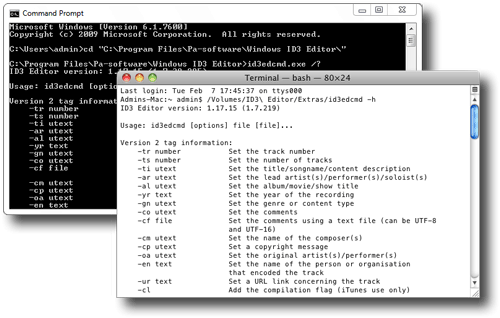
Command Line Interface
With the Command Line Interface (CLI) all of the functionality of ID3 Editor is available using the command line and thus can be scripted using shell or batch scripts. This is useful if fields need to be added to tracks quickly and without an interface for example, if you are releasing a podcast and want to add a feed prior to uploading it, then this can be performed in one script.
Copyright, URL and Encoded by
If you are an avid podcaster then using ID3 Editor to clean MP3's before deployment is a must. You can also add a 'copyright', 'URL' and 'encoded by' which will ensure your audience knows where the track originated from. ID3 Editor supports the classical tags; conductor, lyricist, publisher, orchestra and soloist (soloist is set by the artist).
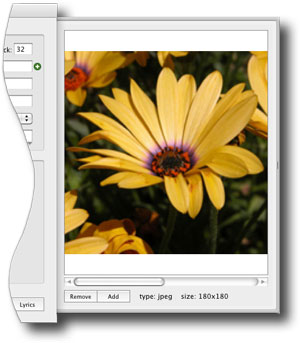
Artwork
Artwork from an album cover or an image of the artist can also be added to your MP3 tracks, by just simply dropping the image into the image drawer. ID3 Editor also supports multiple pictures and multiple image formats (JPEG, PNG, GIF and TIFF), it can even convert GIF and TIFF images to PNG to offer greater compatibility.
Lyrics
For those of us who like singing along to our favourite songs, you can add lyrics into the track by pasting the text into the lyrics drawer.
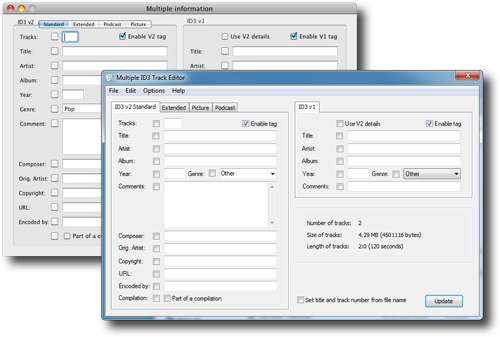
Editing groups
Editing albums or large groups of similar tracks is made easy by the group editor.
This opens all of the loaded tracks into one window rather than opening them individually and shows only the fields that are the same in all of the tracks.
This means you can edit those fields that have common attributes, such as 'artist', 'album', 'copyright' and 'artwork' in one go by only changing the fields that are selected, this also means there is no repetitive task of typing the same information over and over again.
You can even copy data between the group editor and the single editor which is useful if you want to change multiple tracks to be similar to another or copy default track fields to a single track.
Main features
Adds or changes ID3 version 1(.1) and 2(.2/.3/.4) tags. Works with MP3 version 1 and 2. Simple to use interface. Easily copies and pastes all the tag information.
Adds artwork such as album covers and can add song lyrics. Multiple tracks can easily be edited. Cleans version 2 tags by removing invalid and unused tag information.
Option to remove V1 and V2 tags. Can change the title and track number based on the file name. Can rename the track file based on the track and title.
No bloat, just small and simple. Supports Unicode (version 2 tags) and Latin 1 character sets. Auto-versioning for compatibility with older systems. Supports AIFF files.
Learn more about supported fields




